Updated October 23, 2026, following the October 22 community meeting.
Use this guide to prepare your property and home for fiber installation. We will confirm the work and appointment details with you.
Confirm your address and the work
Construction nearby does not mean your home is ready for service. Confirm availability, what installation includes and whether any additional work or terms apply.
Discuss the route before work begins
Share your preferred entry point and router location. Tell the team about existing conduit, irrigation, landscaping, driveways or other property concerns. Atomic Fiber described a scheduled property survey to agree on the route and entry point. Route preferences, aerial options and conduit suitability need individual review before work is agreed.
Arrange access and property permissions
Mention locked gates, pets and access restrictions. If you rent, confirm any permissions needed with your property owner. Ask whether you need to be present; outside work and the final home visit may have different requirements.
During neighborhood construction
Use caution around crews and temporary work areas, and follow posted directions. Construction methods vary by location. Bonfire described before-and-after photographs and restoring affected areas as close as possible to their previous condition. Utility damage can still occur despite locates and precautions. Ask whom to contact if you see a problem.
Plan your home setup
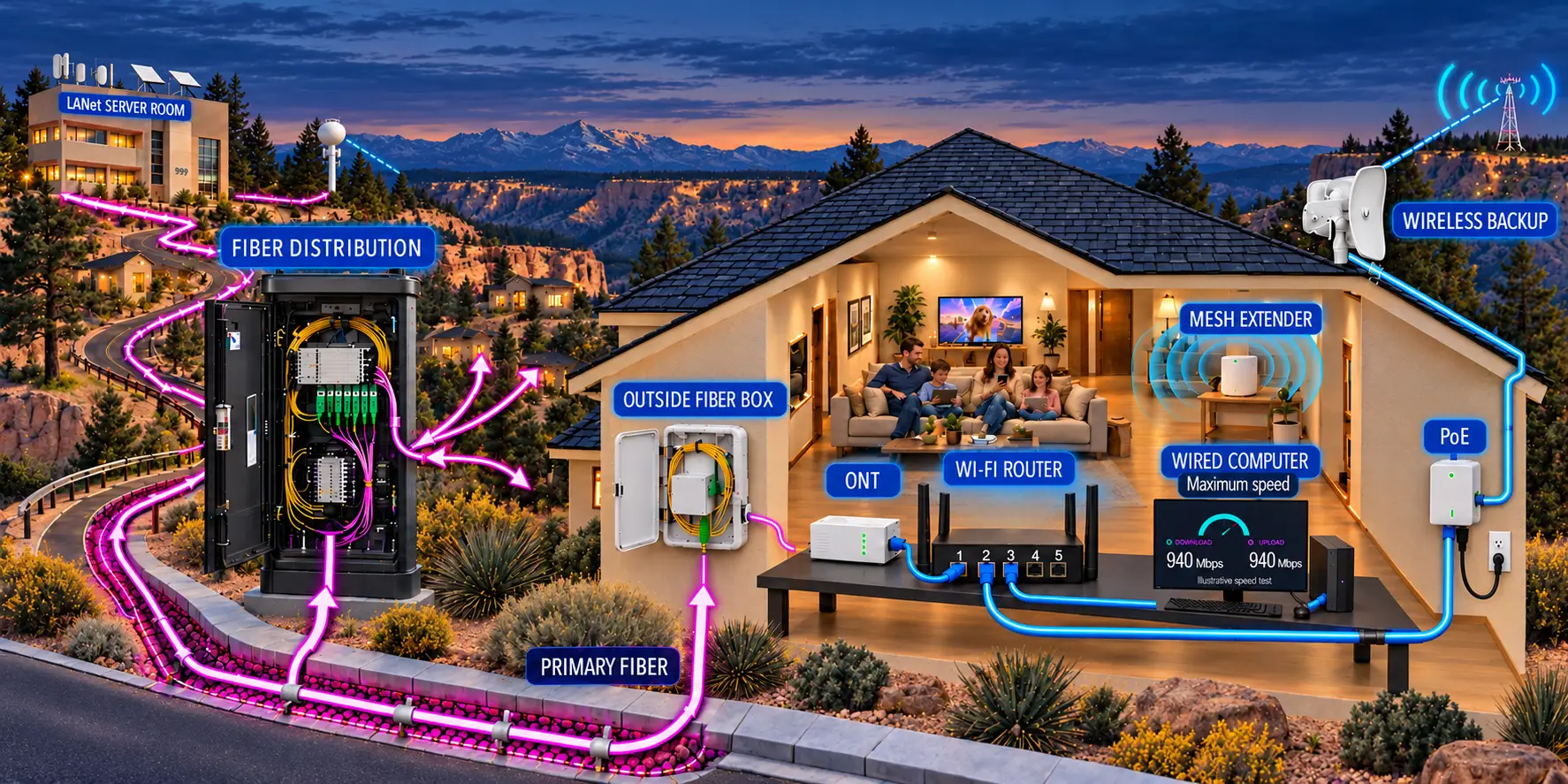
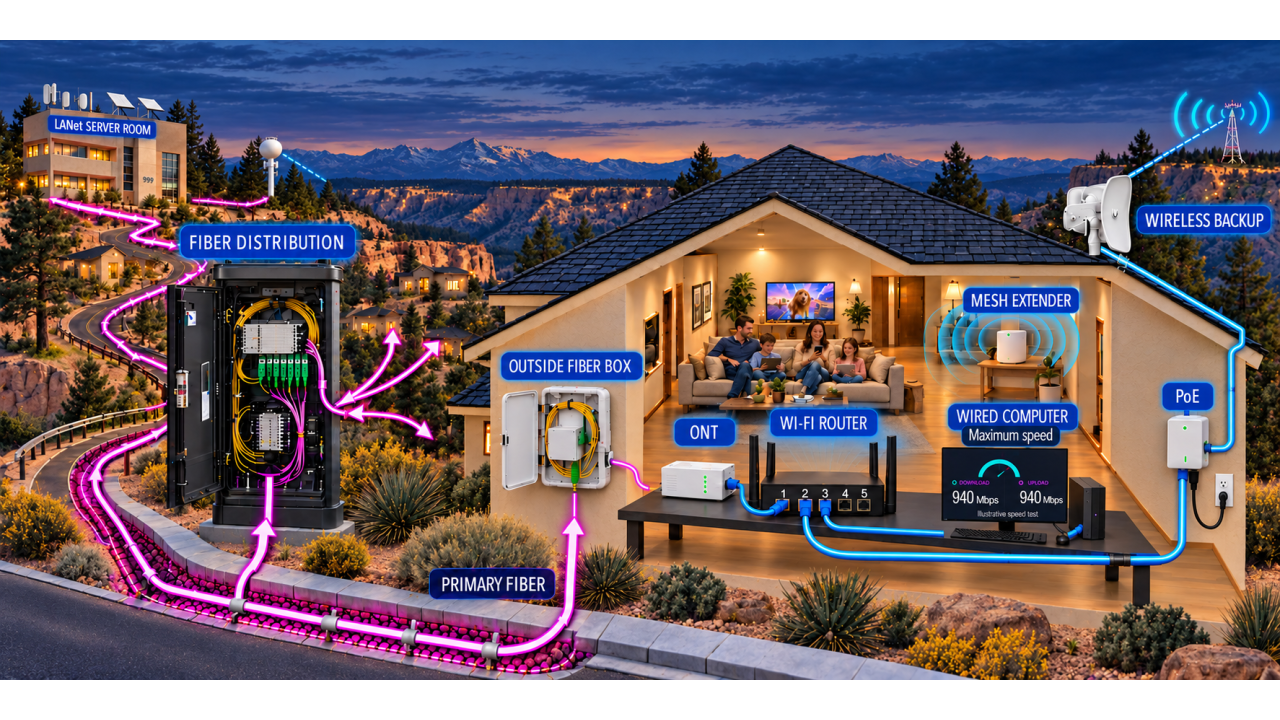
The indoor optical network terminal (ONT) needs power. Discuss its location, the rooms and devices you use most, router placement and any wired connections. Ask which equipment works with your plan and how to reach support.
On installation day
Once your connection and appointment are confirmed, we will set up the router and test the service. Check your everyday devices with the installer and keep your Wi-Fi details private. Keep your existing internet service until the new connection is confirmed working.
Pre-sign up your home for fiber
New to the fiber interest list? Share your address and contact details below. Already signed up? You do not need to submit the same request again.