Updated October 23, 2026, following the October 22 community meeting.
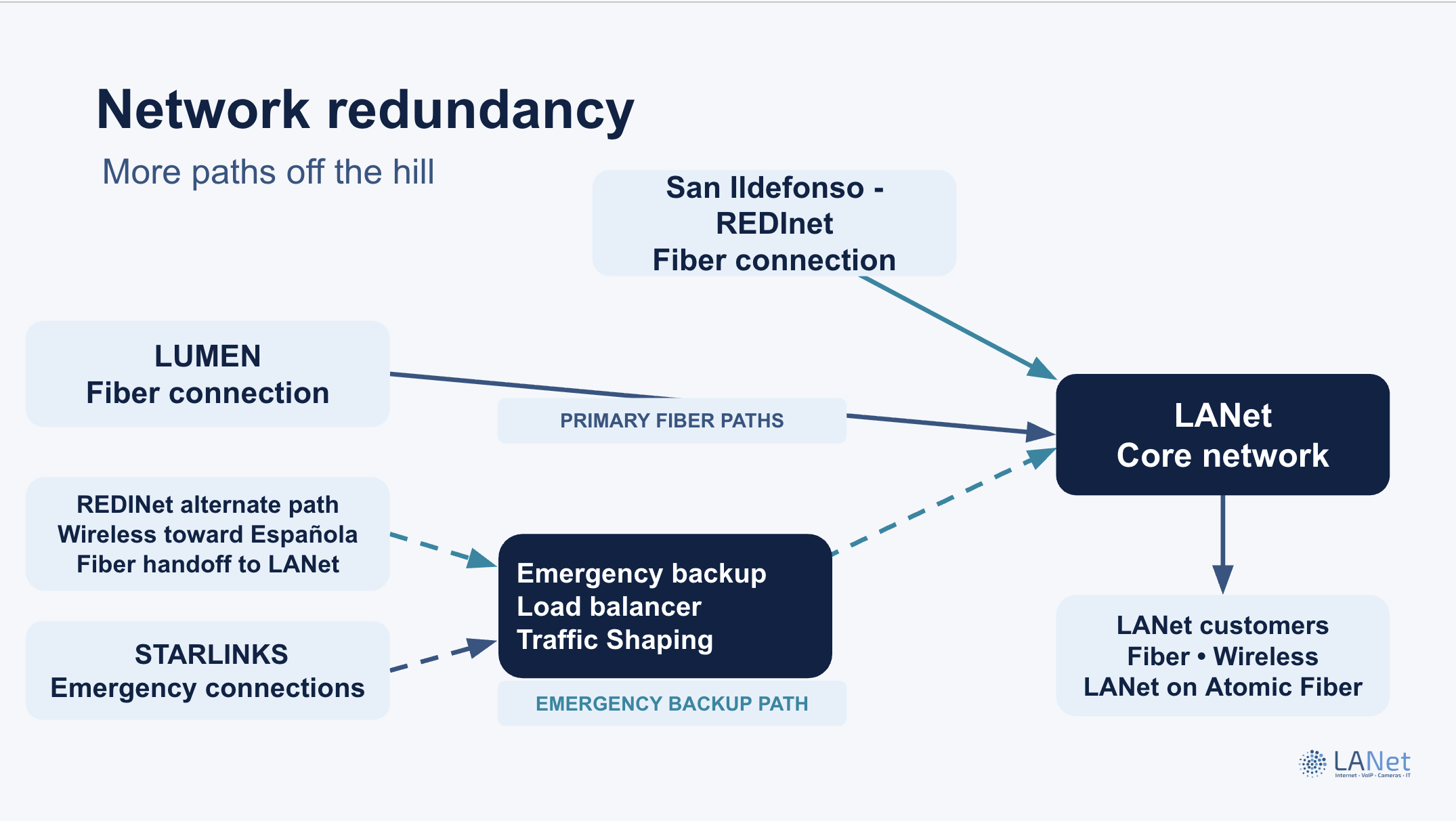
Fiber gives us room to grow. Having another way to connect can also help when a connection is interrupted. Here is how the different backup layers fit together.
More than one path to the internet
At the October 22 meeting, the County reported that the San Ildefonso fiber route was built and tested. A long-term service agreement, Council approval and connection work still remained before it could enter service. The County hoped to bring the agreement to Council before Thanksgiving; that was a target, not an approval or launch date.
A separate route when a connection is interrupted
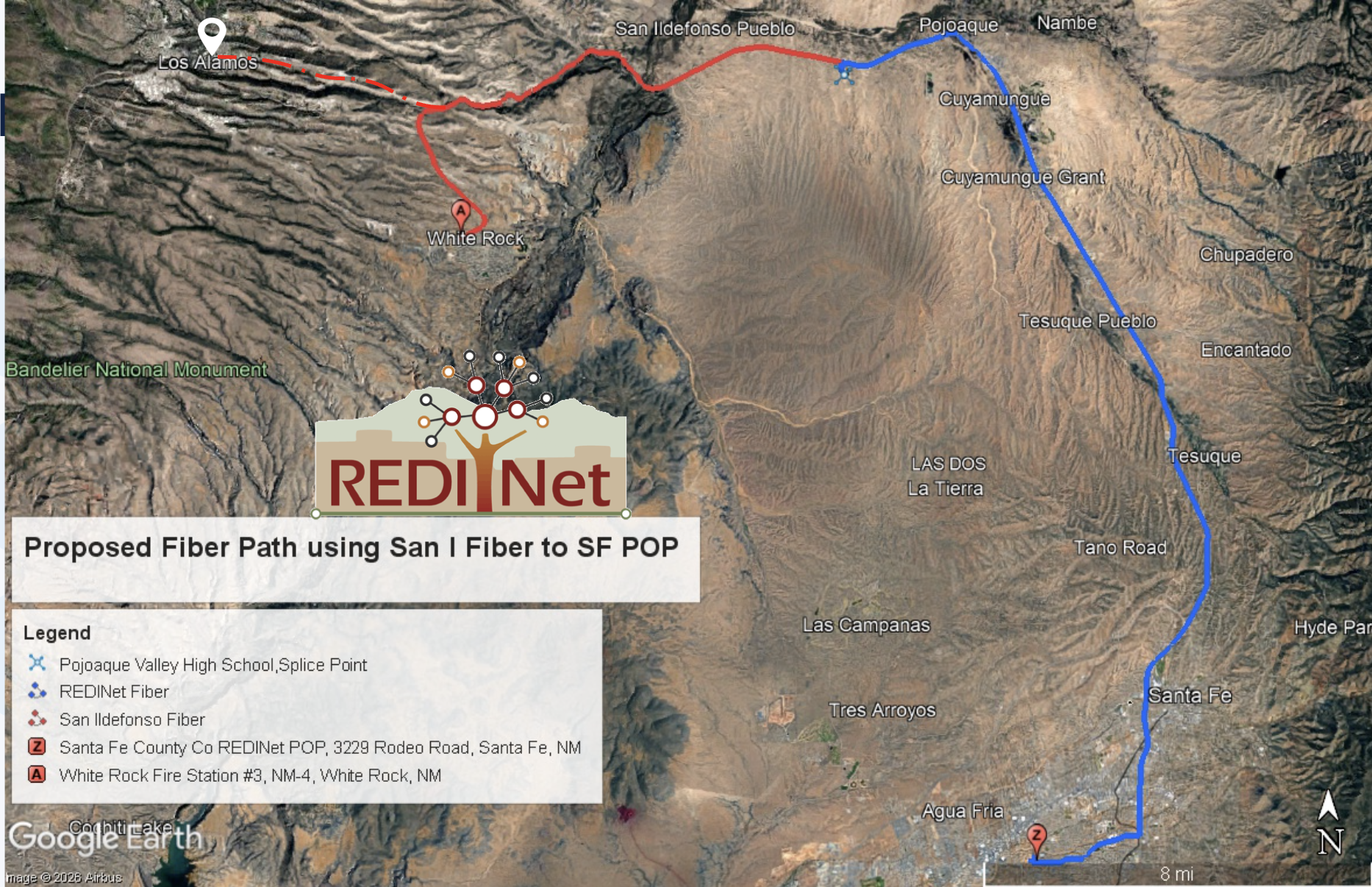
Another usable route can help maintain connectivity when a primary connection is interrupted. The map below, shared in the presentation, illustrates the San Ildefonso and REDINet fiber path toward Santa Fe. It is separate from the emergency wireless and Starlink layer described below.
Emergency connectivity for LANet
LANet discussed a separate emergency layer using a REDINet wireless path and Starlink capacity alongside its fiber connectivity. REDINet clarified that the emergency wireless arrangement discussed is for LANet, not every Atomic Fiber provider. We will confirm activation, testing and route separation before calling all paths fully operational or independent.
Another connection at your home
Existing LANet wireless customers moving to fiber can keep their antenna and manual wireless backup at no extra charge. Your antenna provides another connection to LANet; our upstream backup paths help LANet reach the wider internet. Ask us for the correct switching instructions for your equipment.
Manual or automatic switching
You can use your own compatible router and switch the connection manually. We also offer a managed router that can switch automatically. We will confirm that option and its terms with you. The standard included managed router is not necessarily the automatic-switching model.
Emergency backup options
Business service includes emergency backup at no extra charge. Residential emergency-only backup is $5 per month. Emergency backup uses shared capacity; it does not provide each customer with a dedicated Starlink or guarantee your fiber plan’s speed.
What backup depends on
The alternate connection, equipment and power must still be working. Backup can help keep essential use going, but it cannot prevent every outage.
New to the fiber interest list? Check your address and share your preferences below. Already signed up? You do not need to submit the same request again.